Free org chart template (CSV)
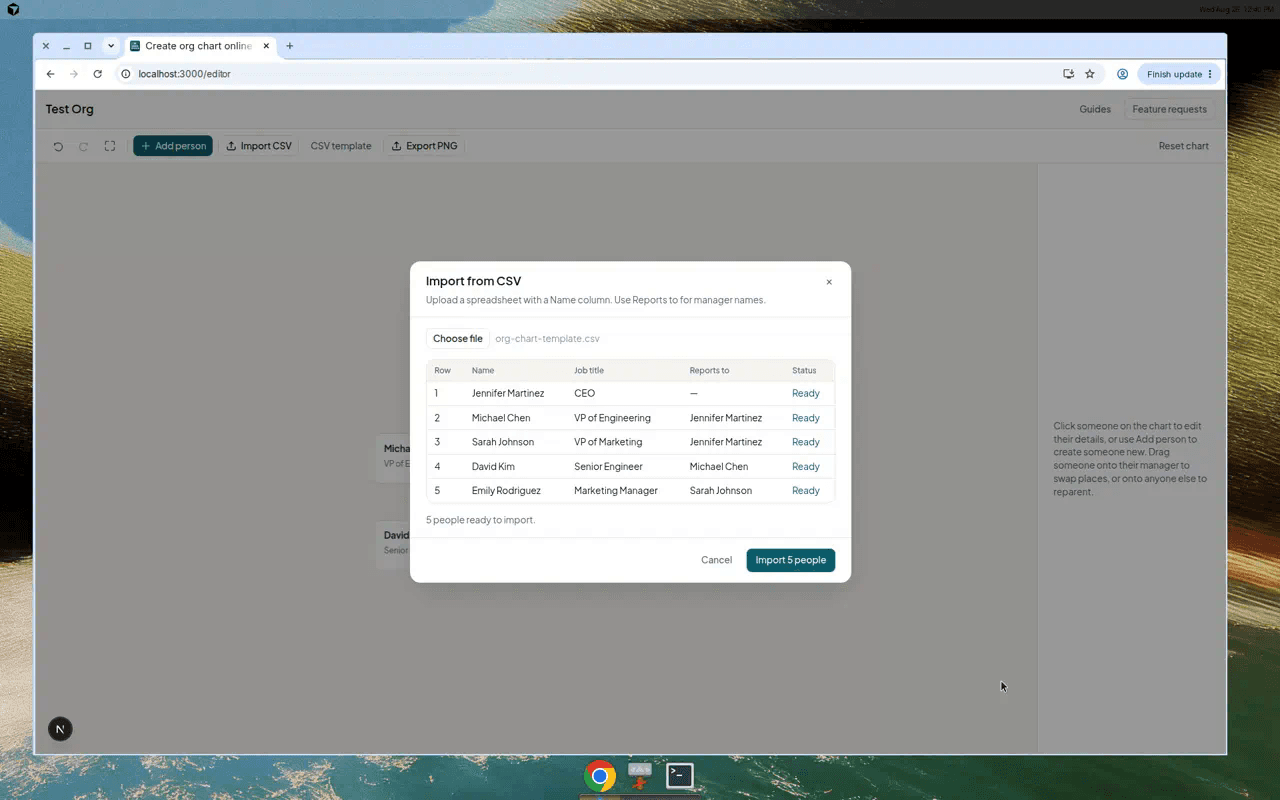
Download a ready-made CSV org chart template with example data. Column guide, manager matching rules, and how to import into Simple Org Chart.
This page is the template. Download the CSV, replace the example names with yours, import — done.
The file works in Excel, Google Sheets, and Numbers. Save as CSV before importing.
Download
Download the blank template or the Riverside Kitchen example with fictional staff already filled in.
You can also click CSV template in the editor toolbar for the same blank file.
Columns explained
- Name — required, unique per row.
- Reports to — manager’s Name exactly as written elsewhere. Blank = top of chart.
- Other columns — optional; they appear on chart cards if present.
Name,Job title,Department,Email,Reports to
Maria Santos,Owner,Management,,
Luca Romano,Head Chef,Kitchen,,Maria Santos
Jess Walsh,Front-of-house Manager,Front of house,,Maria SantosCommon mistakes
- Manager spelled differently on two rows (Sarah vs Sarah Chen).
- Two people with the same name — the importer needs unique names.
- Circular reporting (A reports to B reports to A) — preview will flag this.
- Saving as “CSV (Macintosh)” with odd encoding — use UTF-8 if preview looks garbled.
Import
Full walkthrough with screenshots: Import an org chart from CSV.