Import an org chart from CSV
How to turn a spreadsheet of names and managers into an org chart — column format, common mistakes, and a step-by-step import walkthrough.
If HR already has names in Excel or Google Sheets, importing beats typing fifty people by hand. Simple Org Chart reads a CSV with a Name column and an optional Reports to column that names each person’s manager.
Download the free template if you want a ready-made file to edit.
Column format
- Name — required. Must be unique in the file.
- Reports to — manager’s name, spelled exactly as it appears in another row. Leave blank for the top of the chart.
- Job title, Department, Email — optional; they show on the chart if present.
Name,Job title,Department,Email,Reports to
Sarah Chen,CEO,Executive,sarah@example.com,
Mike Okonkwo,CTO,Engineering,mike@example.com,Sarah Chen
Lisa Park,Engineering Manager,Engineering,lisa@example.com,Mike OkonkwoImport in the editor
Click Import CSV and select your file. If you exported from Excel, choose “CSV UTF-8” — the preview will flag encoding problems early.
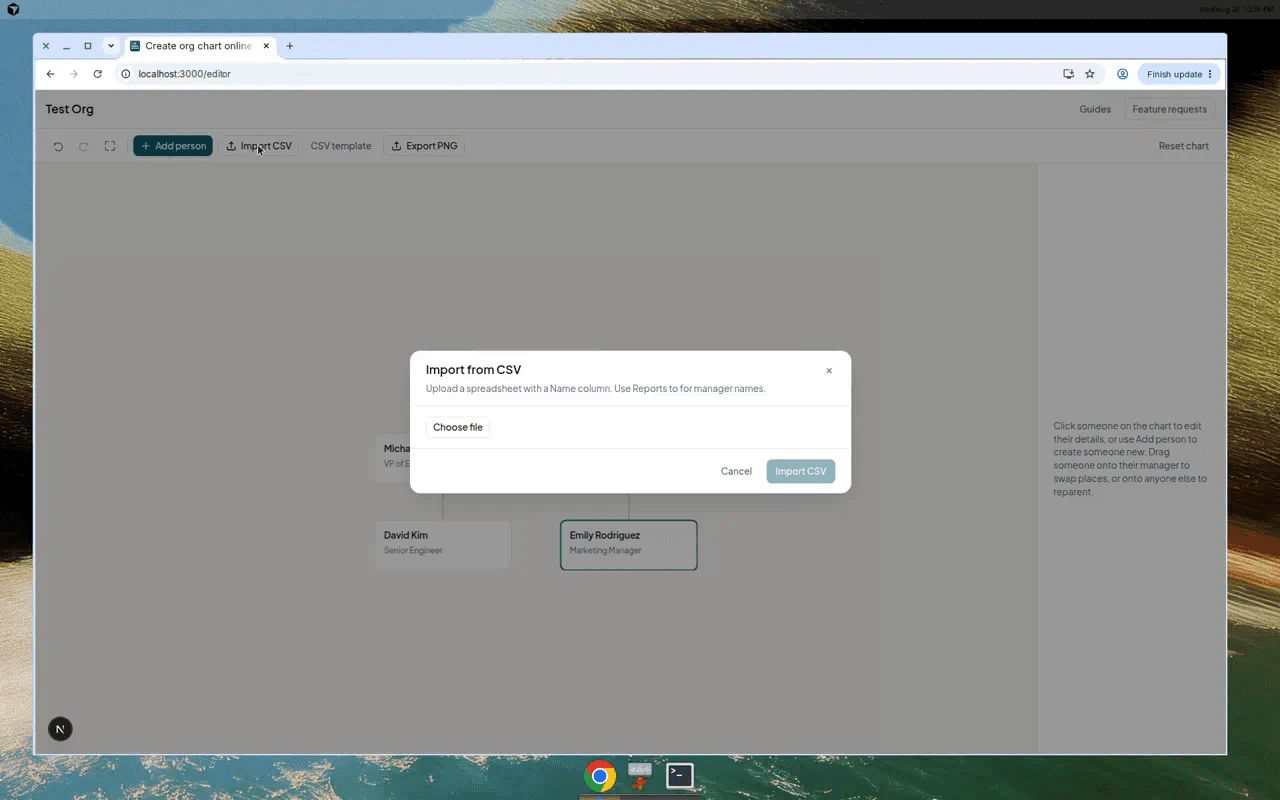
Check the preview before you commit
The preview shows which rows will import and which will be skipped. “Reports to” must match exactly one person — Sarah Chen and Sarah are treated as different names.
Importing replaces everyone currently on the chart, but you can undo afterwards if you need to.
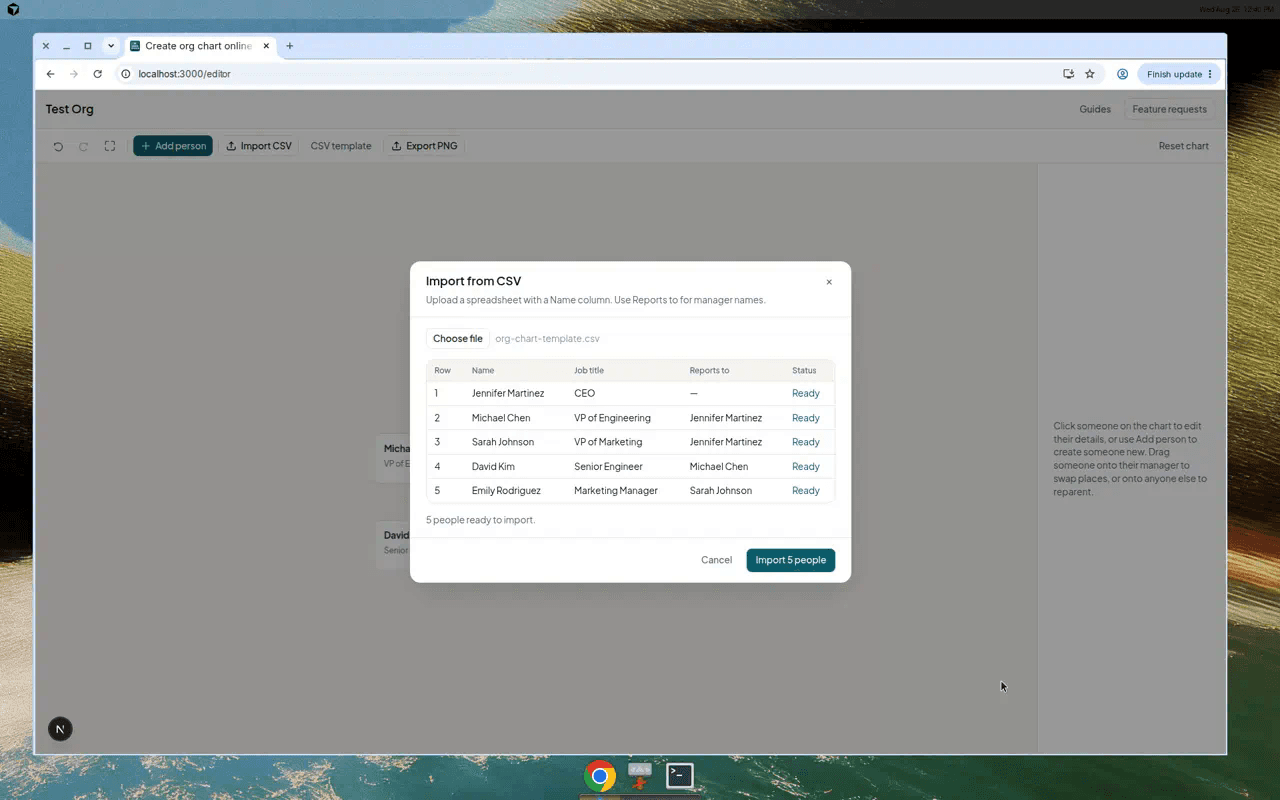
After import
Drag people to fix any reporting lines the spreadsheet got wrong. When you are happy with the layout, export PNG or keep editing in the browser.