What is Simple Org Chart?
A plain-English overview of Simple Org Chart — a free browser tool for building org charts, importing CSV, and exporting PNG. No account, no HR platform.
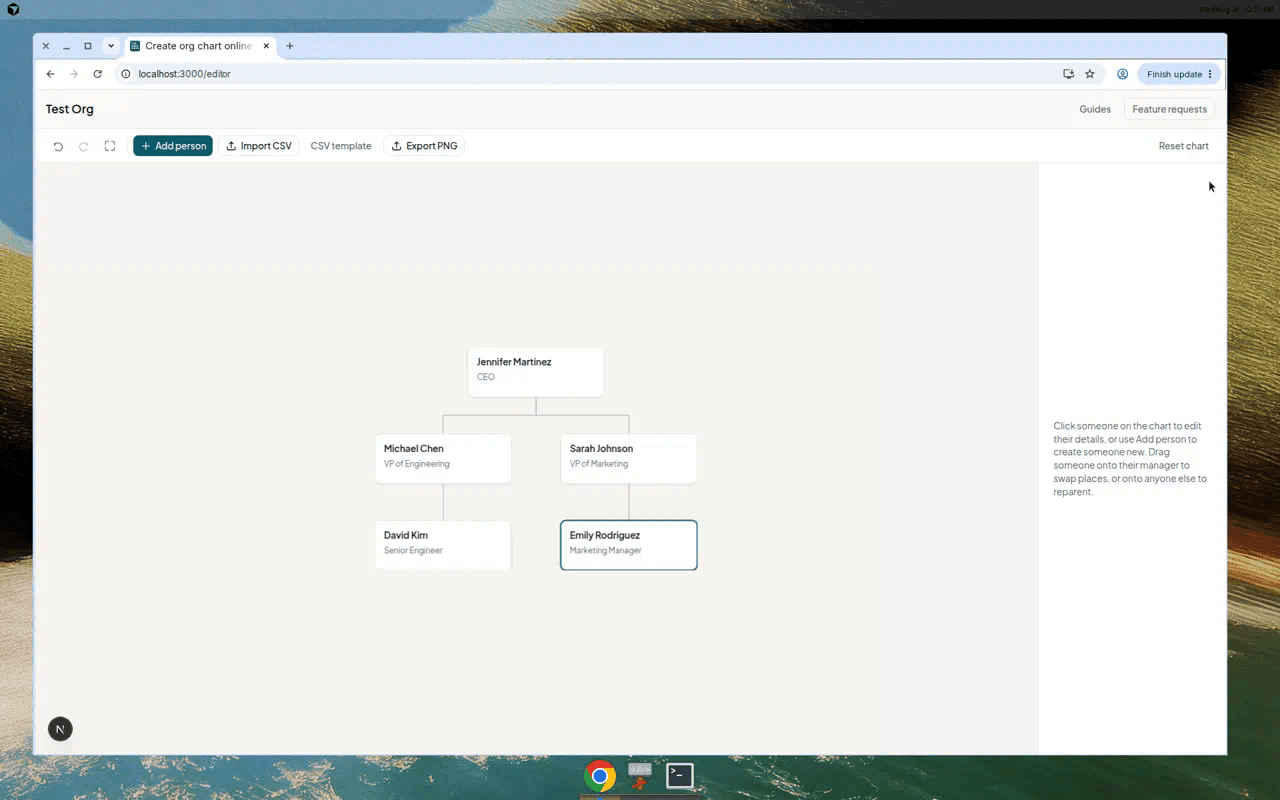
Simple Org Chart is a small online tool for one job: draw who reports to whom, then export the result. You open the editor, add people (or import a spreadsheet), and download a PNG when you need it in a slide or email.
It is not an HR system. It does not sync your whole company. It will not replace Visio for network diagrams. That is intentional.
What you can do
- Build a chart from the top down in your browser
- Import names and managers from CSV (Excel exports work fine)
- Drag someone onto a new manager to reparent them
- Export the full chart as PNG for PowerPoint, Docs, or email
- Autosave in your browser on the same device — no sign-up
What it deliberately does not do
Worth saying upfront so you do not arrive expecting the wrong thing:
- No payroll, permissions, or employee records
- No live sync across your organisation
- No guaranteed cloud backup — charts live in browser storage on that device
- No general diagramming (flows, floor plans, network maps)
Premium (optional)
The editor is free. If you need SVG or PDF export, custom colours, saved charts, or profile photos on cards, Premium is a one-off £9.99 — no subscription.
Who tends to use it
Founders sketching a team before a hire. Someone in HR putting together a reorg slide for Monday. A project lead who needs a readable chart by end of day and does not want to learn SmartArt first.
If that sounds like you, the how-to guide walks through the basics in a few minutes. If you already have a spreadsheet, start with the CSV template instead.