Best free org chart software (2026 comparison)
An honest comparison of free org chart makers — no signup, browser-based tools, CSV import, and export options. See where Simple Org Chart fits alongside Lucidchart, Miro, and others.
Most “best org chart software” lists mix enterprise HR platforms with diagram tools and free trials. If you landed here from that search, these are the questions worth asking before you sign up for anything.
Want to see finished layouts first? Browse company org chart examples. Just need a chart today? Open the free editor — no account required.
What actually matters when choosing free org chart software
- Can you start without creating an account?
- Import from CSV/Excel when HR already has a list?
- Export PNG (or PDF/SVG) for slides and docs?
- Automatic layout as headcount grows?
- Undo when you make a mistake?
Best free org chart software compared
There is no single winner — a lightweight maker, a whiteboard, and your HR system solve different problems. The table compares what each approach offers on a free or zero-extra-cost tier. Limits change; check each vendor’s site before you commit.
| Tool / approach | Free option | No signup | Browser based | CSV import | PNG export | PDF / SVG | Auto layout | Best suited to |
|---|---|---|---|---|---|---|---|---|
| Simple Org Chart | Yes — full editor | Yes | Yes | Yes | Yes | Premium | Yes | Quick free chart; Premium for SVG/PDF or styling |
| Lucidchart | Yes — 3 docs, shape limits | No | Yes | Yes | Yes | Yes | Partial (data-linked) | Org charts alongside other business diagrams |
| Miro | Yes — 3 editable boards | No | Yes | Yes (Org Chart widget) | Low-res on Free | Paid tiers | Yes (Org Chart widget) | Collaborative planning on a shared board |
| Canva | Yes | No | Yes | No | Yes | PDF yes; SVG on paid | No (manual) | Branded one-off graphics from templates |
| draw.io (diagrams.net) | Yes | Optional account | Yes | No | Yes | Yes | No (manual) | Free diagramming with full export formats |
| Google Sheets | Yes with Google account | No | Yes | As roster data | Via chart / print | Print / PDF | Weak at scale | Maintaining the list inside Workspace — details |
| Visio (Microsoft 365) | With eligible M365 plan | No | Desktop / web | Via Excel Data Visualizer | Yes | Yes | Yes (with Data Visualizer) | Teams already on Microsoft 365 — details |
| HR platforms (e.g. BambooHR) | With paid HRIS only | No | Yes | From HR records | Varies | Varies | Yes | Live employee data that must stay current |
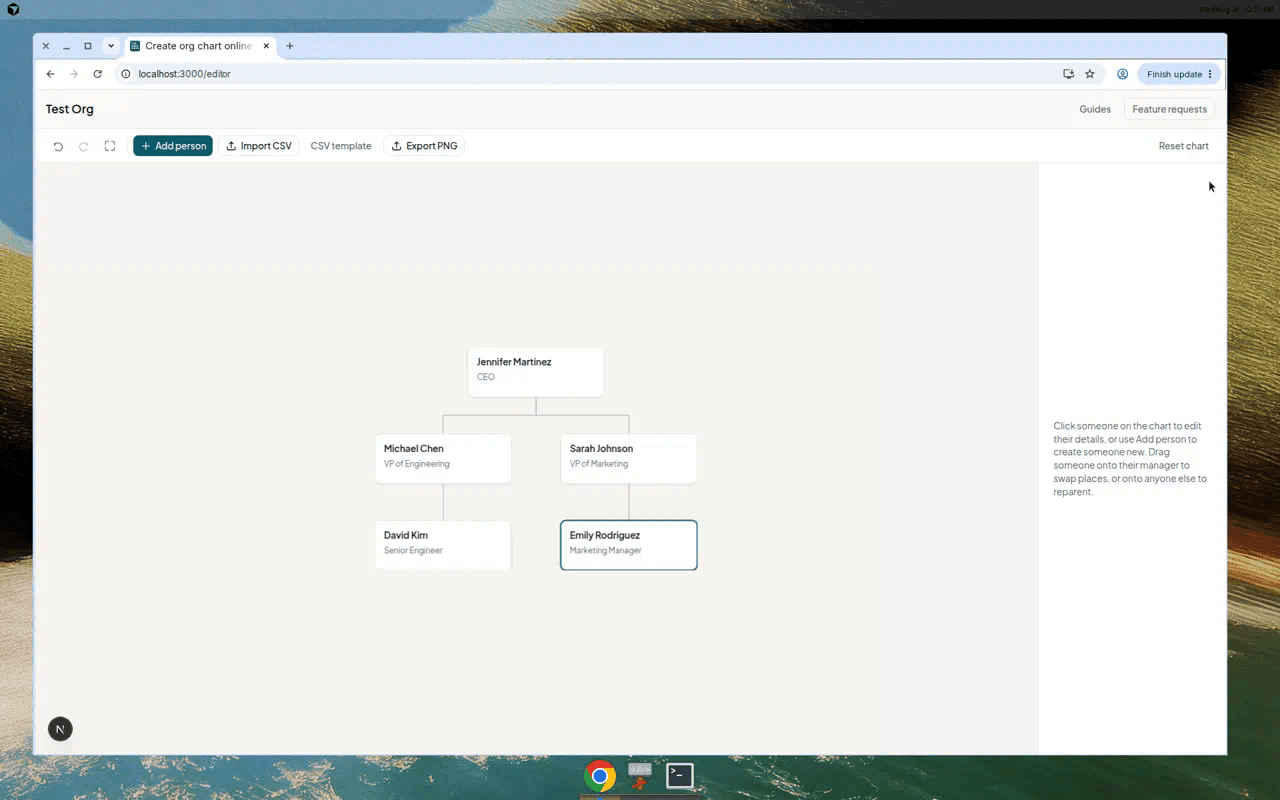
What a dedicated maker workflow looks like
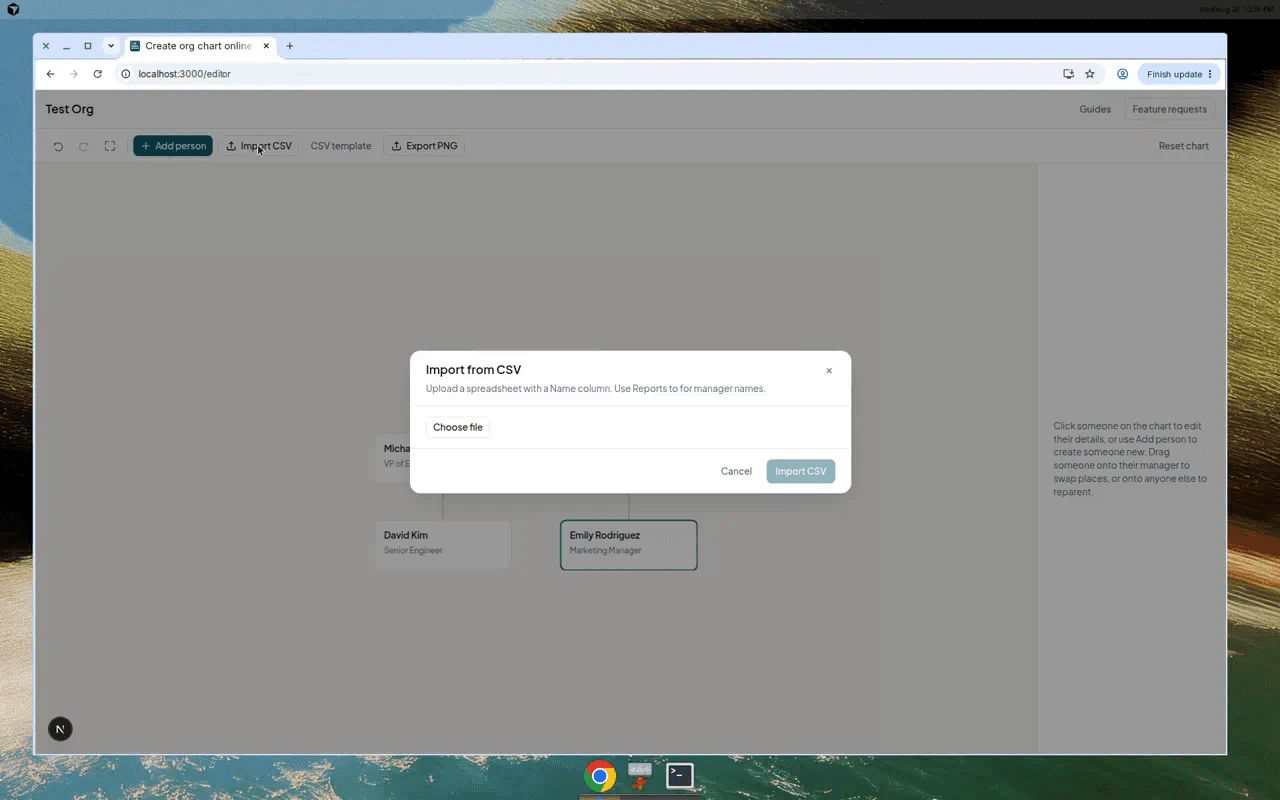
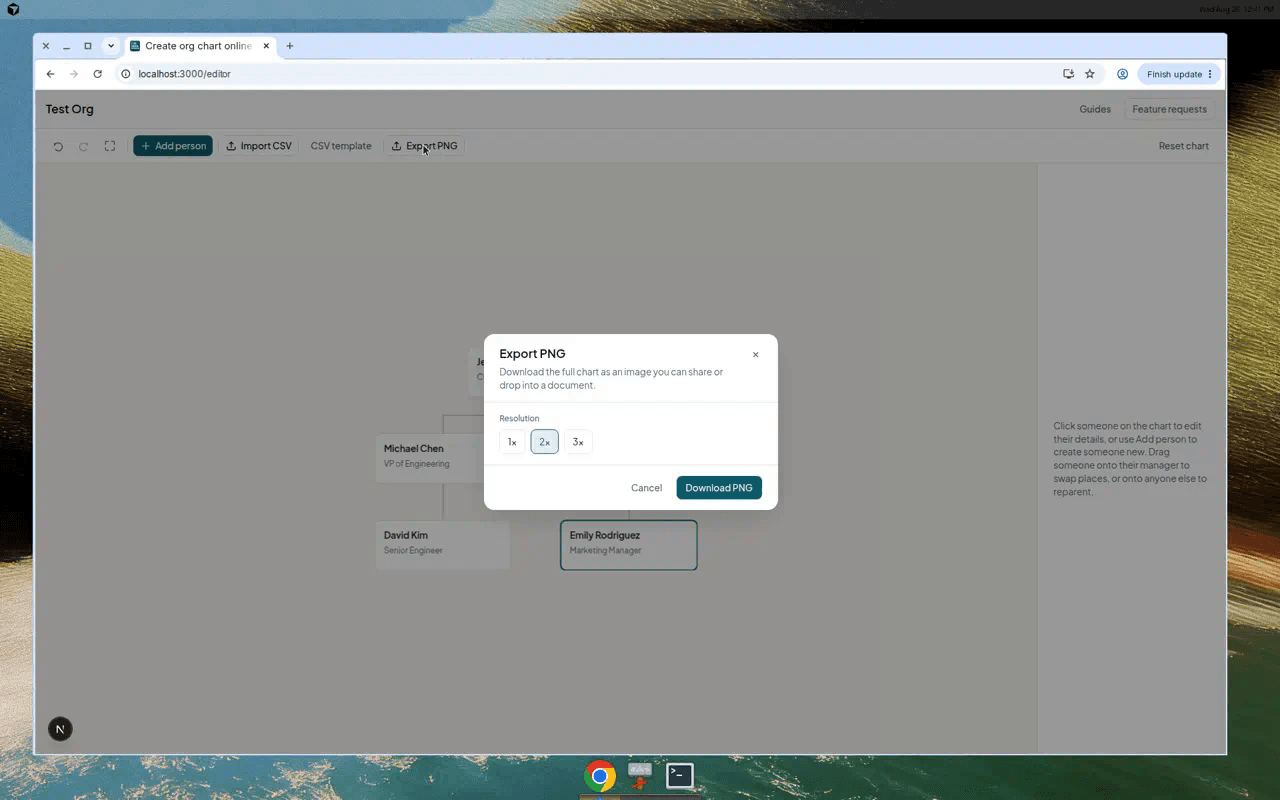
When the table row “Simple Org Chart” fits, the work is usually: spreadsheet → layout → PNG. That is the path our CSV import guide and PNG export guide walk through.
The main types of org chart software
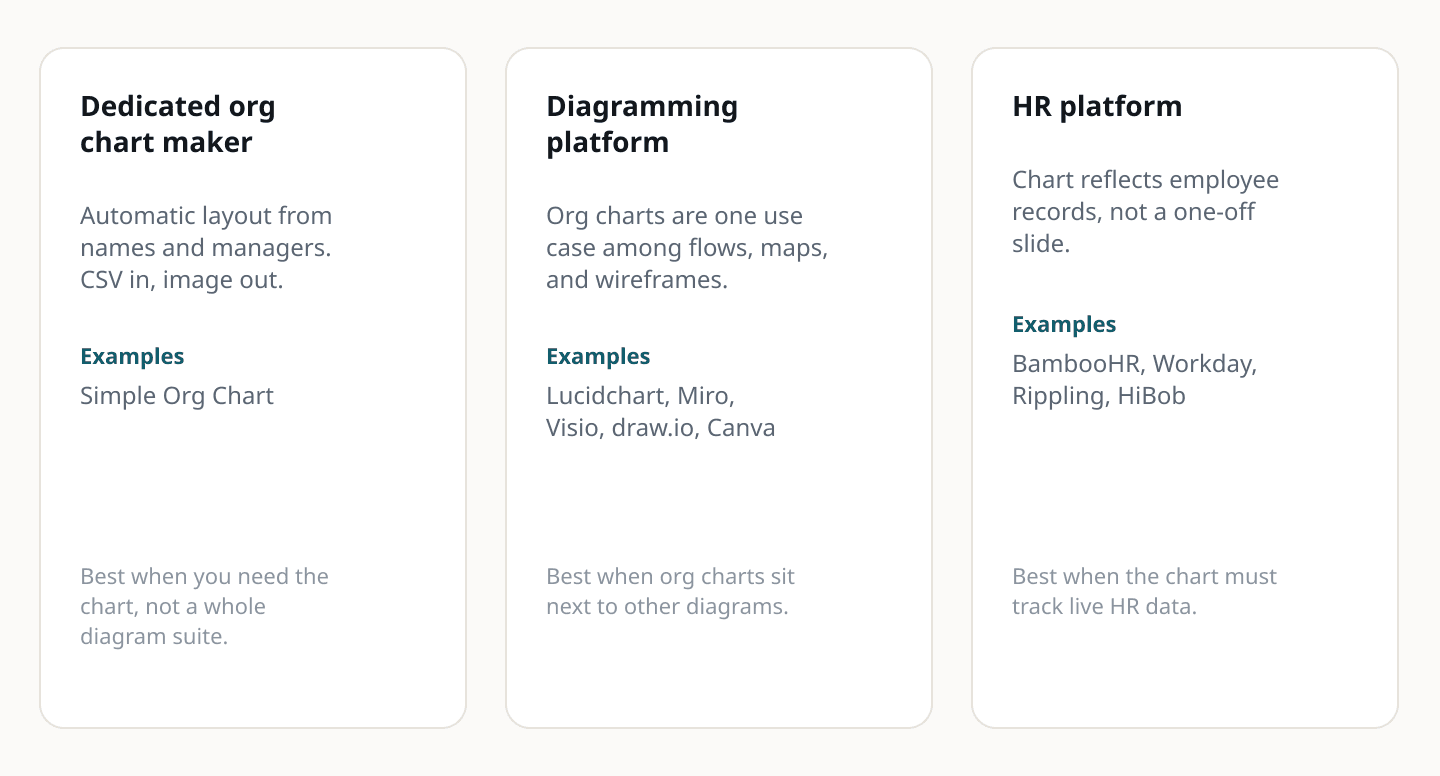
HR platforms — Workday, BambooHR, Rippling, and similar tools treat the org chart as a view on employee records. Genuinely better when people join, leave, and move often and the chart must reflect HR data without manual re-export. Not a realistic “free org chart maker” unless you already pay for the platform.
Diagramming tools — Lucidchart, Miro, Visio, draw.io, and Canva all draw org charts, but org charts are one use case among many. Lucidchart and Visio shine when you already diagram processes and systems in the same tool. Miro is stronger for live collaboration on a board than for a static slide. draw.io is hard to beat on free exports if you are willing to lay out boxes yourself. Canva is manual but fast when you want a polished graphic from a template.
Dedicated org chart makers — Browser tools built around reporting lines: automatic layout, CSV import, drag-to-reparent. Simple Org Chart sits here — free, no account, CSV + PNG. Premium adds SVG, PDF, themes, and saved charts when you need them. What it is and is not.
Microsoft and Google inside your suite — If everyone already lives in Office or Workspace, starting there can be less friction than adding another product. We cover those paths separately: Google org chart options and Microsoft org chart options. This page stays at the comparison level; those articles go deeper.
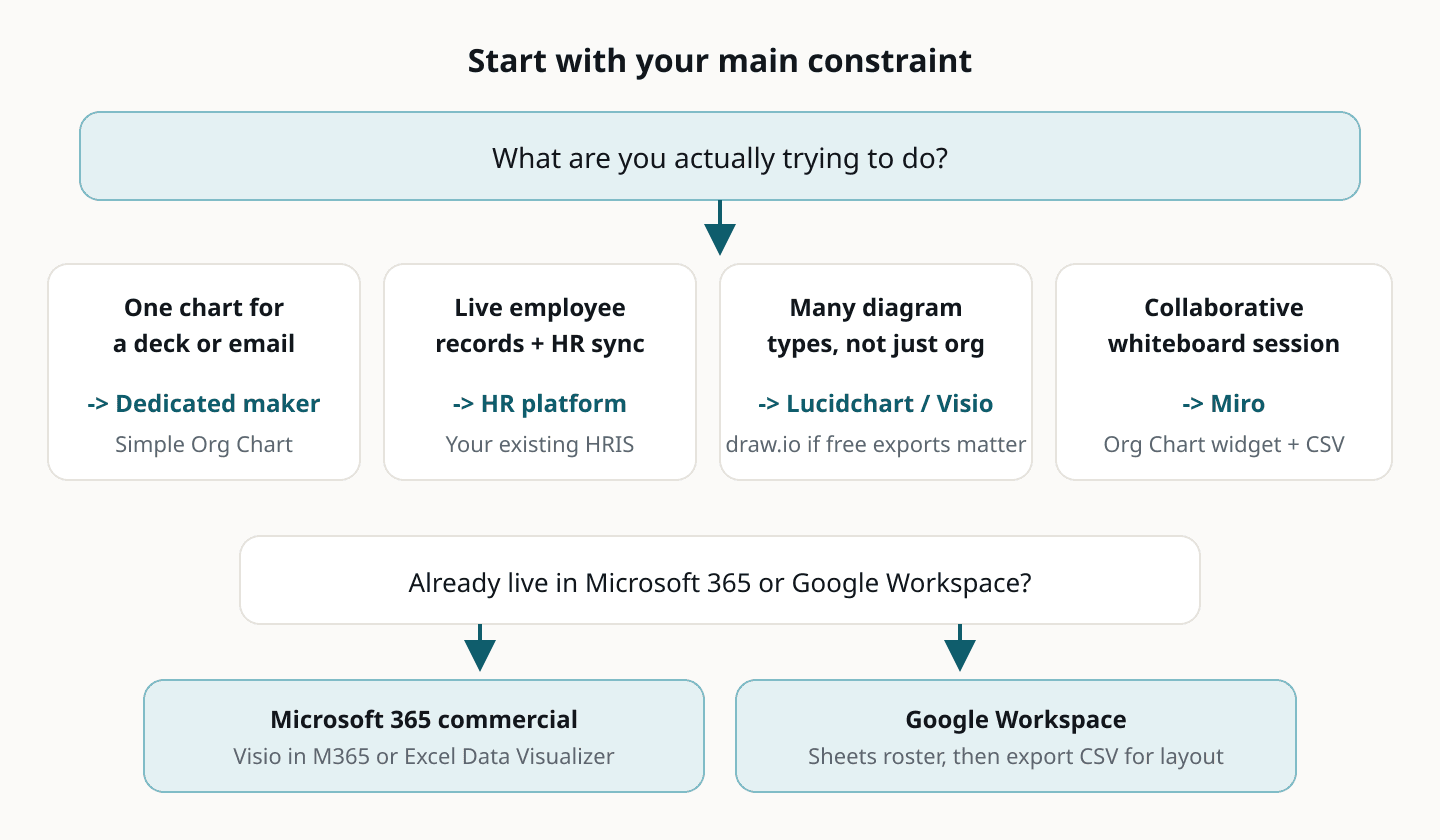
Which org chart software should you use?
If you are still unsure, run the smallest experiment: import your real (or template) CSV, export a PNG, show it to whoever asked for the chart. You will know quickly whether you need something heavier — live sync, permissions, or mandated Visio templates.
- I just need an org chart for a presentation → Simple Org Chart (free PNG export), or Canva if you want heavy visual styling and will build it by hand.
- I need to maintain employee records and have the chart update automatically → Your HR platform. No free standalone tool replaces that.
- I need org charts alongside lots of other diagrams → Lucidchart or Visio if you are already in that ecosystem; draw.io if free PDF/SVG exports matter more than templates.
- I need a collaborative whiteboard where HR and leaders edit together → Miro. The Org Chart widget imports CSV on all plans, but Free tier board exports are low resolution.
- I already have everything in Microsoft 365 → Visio in Microsoft 365 (on eligible commercial plans) or Excel’s Data Visualizer add-in. See the Microsoft comparison.
- I already keep the roster in Google Sheets → Stay in Sheets for the list; export CSV and import into a layout tool when the built-in chart type gets too small. See the Google comparison.
- I want a reusable starting point, not a product comparison → Grab the free org chart template and test import in ten minutes.
Why use a dedicated org chart maker?
Honest answer: you often do not need one. If Miro is already your team’s planning surface, or Visio is your company standard, use what people already open.
A dedicated maker earns its tab when the job is narrow — one readable hierarchy, soon, from a spreadsheet — and you do not want to learn a diagram suite or re-draw connectors every time someone changes manager. Automatic layout and CSV import are the payoff; live HR sync and enterprise permissions are what you give up.
Simple Org Chart is deliberately at that lightweight end. It will not beat Miro on workshop collaboration or BambooHR on employee records. It is built for the “I need this chart by Thursday” moment — which is a common reason people search for free org chart software in the first place.
Try Simple Org Chart
Open the editor, import a CSV or add a few people, and export a PNG — free, no trial countdown.
Create an org chart